


Dial!List
Dial!List - the FRITZ!Box Call Manager for the Mac.
Incoming callings are displayed at the Mac with caller details from the Address Book – if these are missing, it tries to get the name by reverse search.With Dial!List you have besides the possibility to display the calling list from the FRITZ!Box, make a memo or for example creating a new contact to the Address Book.
Many further functions makes Dial!List to a great Call Manager for the Mac for the FRITZ!Box Fon by AVM.
Dial!List is localized in English and German.
Short review of some functions of Dial!List
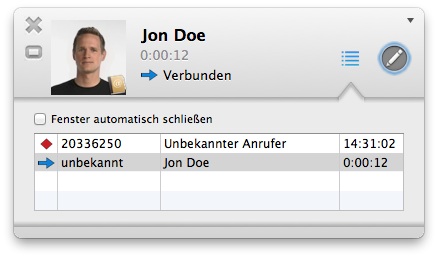
Call monitor
The call monitor shows all in and outgoing calls with information details, like detailed telephone number, caller name, contact picture and the called line.Callings in absentness are displayed with the time-of-day and you have the possibility call directly back with a button. Furthermore you can write a memo.
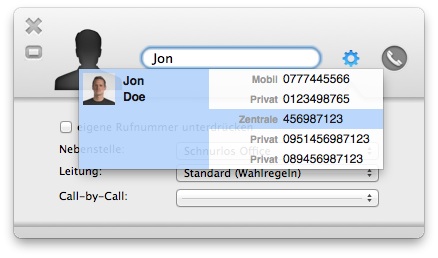
Call dialog
In the call dialog you can search for contacts in the Address Book, type call numbers by keyboard, and choose some options, e.g. the outgoing line, call number.The call dialog is also displayed for example, if the call comes from the Address Book, Daylite or the Widget.
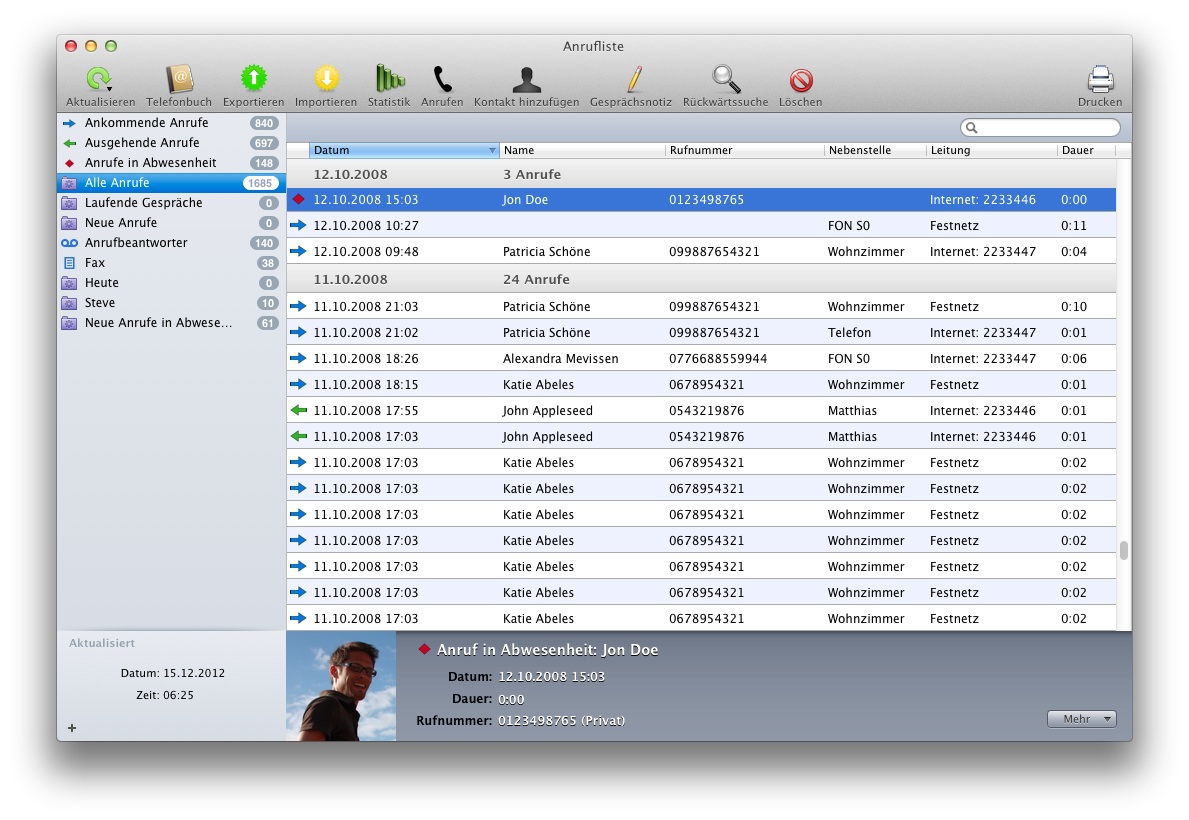
Callinglist
The calling list will be autmatically reloaded after a call finished. These can be browsed by grouped categories. If the contact is in contacts, the name will be displayed. You can export this list, start calls from it or add new contacts to the Address Book.Sort the callinglist, search it or create your own intelligent callinglist.
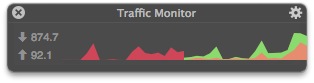
Traffic-Monitor
The Traffic-Monitor shows the incoming and outgoing data rate for your FRITZ!Box. So you have an overview for all of your bandwidth and not only for your Computer.The Traffic Monitor can be shown as windows and in the menu bar and it can be customized.
Overview of all Functions
For an overview of all functions, visit the following page: Dial!List Functions overviewSystem Requirements
AVM FRITZ!Box Fon-Modell (from Firmware xx.03.99)
macOS 10.10, 10.11, 10.12, 10.13, 10.14, 10.15, 11 Intel
You find the newest firmware for your FRITZ!Box on the service portals on AVM.
Software for Dial!List
With the CRM-Software Desktop Enterprise you have a great telephone integration directly in your customer management system, with access to your customer contacts.http://www.desktop-enterprise.com